Yes, you should bring a power strip on a cruise — most cabins only have 1–3 outlets, and the right strip (non-surge-protected, cruise-approved) costs $10–$25 and solves one of the most annoying cabin problems before it starts.
 Photo: MSC Cruises
You board your cabin, drop your bags, and immediately realize there's one outlet near the desk and another hiding behind the nightstand. You have two phones, a CPAP machine, a camera battery, and a travel hair dryer. Welcome to cruise ship outlet math, where demand always beats supply.
The Real Outlet Situation on Cruise Ships
Most cruise ship cabins — across all major lines — offer 2–4 outlets total, often split between a European-style plug and a US-style plug. Some newer ships are better, but don't count on it. Carnival, Royal Caribbean, and Norwegian cabins on older ships frequently have just one accessible US outlet near the vanity. Disney and Celebrity tend to be slightly more generous on newer builds, but even "generous" means 2–3 outlets.
The fix is simple: bring a non-surge-protected power strip with USB ports. That qualifier matters — surge-protected strips are banned fleetwide on virtually every major cruise line because they can interfere with the ship's electrical system. Security will confiscate them. A basic USB power strip with no surge protection? Totally fine.
| Power Strip Type | Allowed on Cruise Ships? | Recommended? |
|---|---|---|
| Surge-protected power strip | ❌ No — will be confiscated | Never |
| Non-surge-protected power strip | ✅ Yes | Yes — bring one |
| Standard extension cord (no surge) | ✅ Usually yes | Only if short |
| USB-only charging hub | ✅ Yes | Great supplement |
| Travel adapter (EU/US) | ✅ Yes | Useful on older ships |
 Photo: MSC Cruises
What Does a Cruise-Approved Power Strip Actually Cost?
This is not a luxury purchase. A quality non-surge-protected power strip with 3–4 AC outlets and 2–3 USB ports runs $10–$25 on Amazon or at any Target or Walmart. That's it. There's no reason to spend more, and you absolutely shouldn't spend less on a random no-brand strip you'll be trusting with your electronics for 7+ days.
| Budget Tier | What You Get | Price Range |
|---|---|---|
| Budget | Basic 3-outlet strip, no USB ports | $8–$12 |
| Mid-Range | 3–4 outlets + 2–3 USB-A ports, compact design | $15–$22 |
| Splurge | 3 outlets + USB-A + USB-C (PD charging), flat plug | $22–$35 |
The mid-range option is the sweet spot for most travelers. Look for a flat or rotating plug so it doesn't block the outlet next to it — cruise ship outlet placement is notoriously awkward.
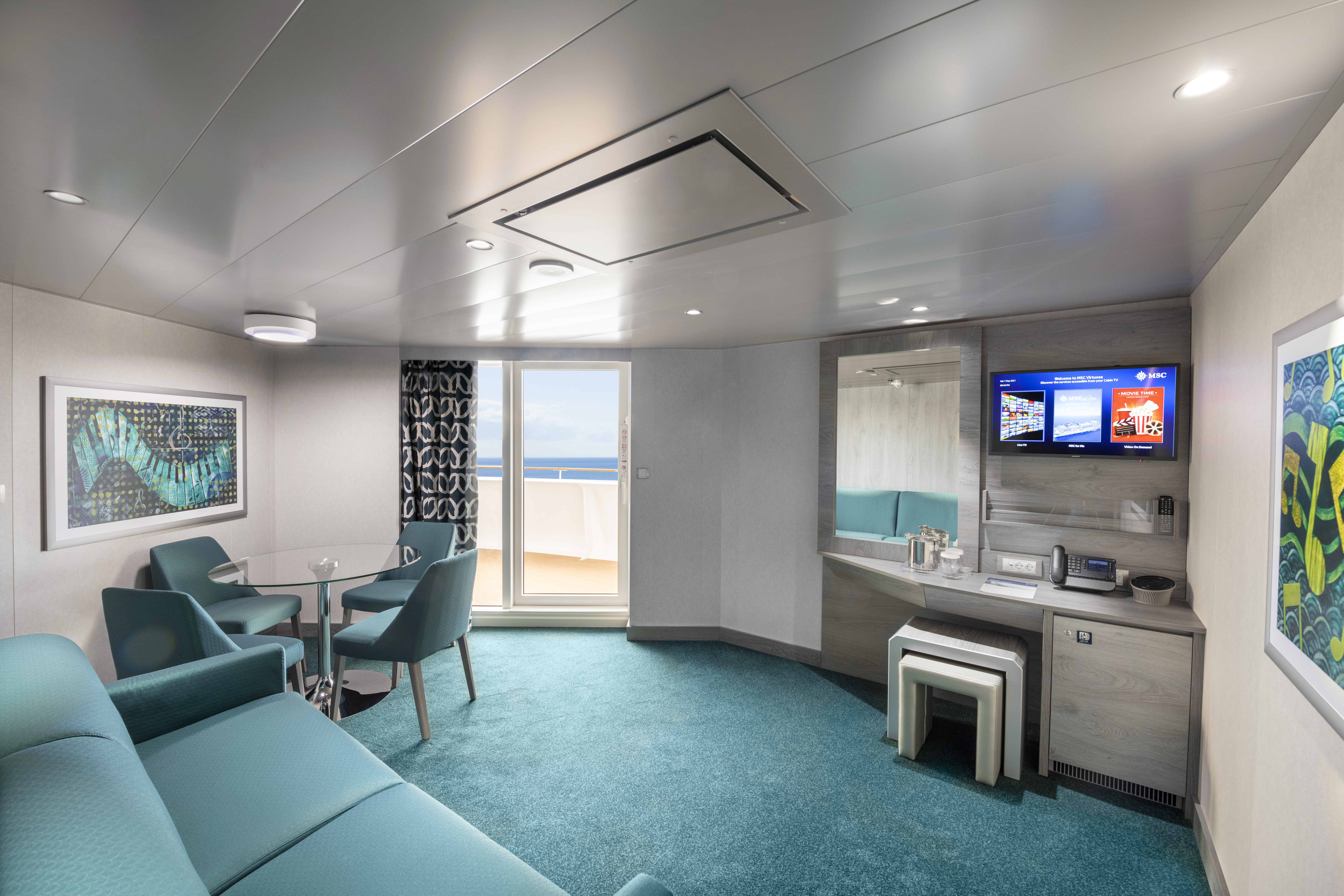 Photo: MSC Cruises
Key Factors That Drive Whether You Actually Need One
Number of devices in your cabin. Solo traveler with just a phone? You might survive. Couple with phones, tablets, a CPAP, a camera, and a Kindle? You need a power strip — full stop.
Which ship and line you're on. Newer ships on Celebrity Edge-class, Royal Caribbean's Icon-class, and MSC's newer mega-ships have more outlets and USB ports built into the nightstands. Still, a strip gives you flexibility the cabin designers didn't plan for.
CPAP users. This is non-negotiable. Most cruise lines will provide a distilled water request and a dedicated outlet for CPAP machines if you ask in advance — but you still want your own strip to avoid monopolizing the only outlet in the room.
International voltage. Most modern electronics (phones, laptops) handle 110–240V automatically. But cheap hair dryers, some older curling irons, and certain shavers do not. Check your devices before you plug in on a European or transatlantic itinerary.
Practical Tips to Maximize Your Cabin Power Setup
- Buy before you board. Cruise ship gift shops occasionally stock power strips, but they're marked up and often sold out. Pack it in your carry-on so it doesn't get flagged and held in checked luggage.
- Get a strip with a flat plug. A right-angle or flat plug design means it won't stick straight out from the wall and risk getting bumped loose every time someone walks by the desk.
- Add a USB-C port if you can. Newer iPhones, Android flagships, and tablets all charge via USB-C. A strip with USB-C Power Delivery means fewer adapter dongles in the mix.
- Don't bring a power strip with an on/off switch that looks like a surge protector. Even if it technically has no surge protection, security may still pull it. Stick to a simple, clearly labeled non-surge model.
- Label your strip. In a shared cabin or when plugging in at a port lounge, a strip with your name on it comes home with you.
- Request a CPAP outlet in advance. Email the cruise line's special needs or accessibility team before departure — most will note it in your cabin file so housekeeping sets up the extension cord.
Best Power Strips for Cruise Travel (2025–2026)
Without naming specific brands that change SKUs constantly, here's what to look for on any retail or Amazon search:
| Feature | Why It Matters on a Cruise | |---|---|---| | No surge protection | Required — surge strips get confiscated | | Flat or right-angle plug | Fits tight cabin outlet placements | | USB-A + USB-C ports | Covers all modern devices without extra adapters | | Compact/travel size | Fits in carry-on, doesn't take up desk space | | 3–4 foot cord | Long enough to reach the bed from the desk outlet |
Search terms that work well: "travel power strip no surge protector," "cruise ship power strip," or "flat plug USB power strip." You'll find exactly what you need for under $20.
Bottom line: a $15 power strip is the highest ROI packing decision you'll make for any cruise. It weighs almost nothing, costs less than a single cocktail at the pool bar, and eliminates one of the most consistent sources of cabin frustration. Use CruiseMutiny to check what other must-know costs are lurking on your specific sailing before you board.